
How can we help?
Short guides for everything you do every day. And if you don’t find your answer, message us on WhatsApp.
Guide
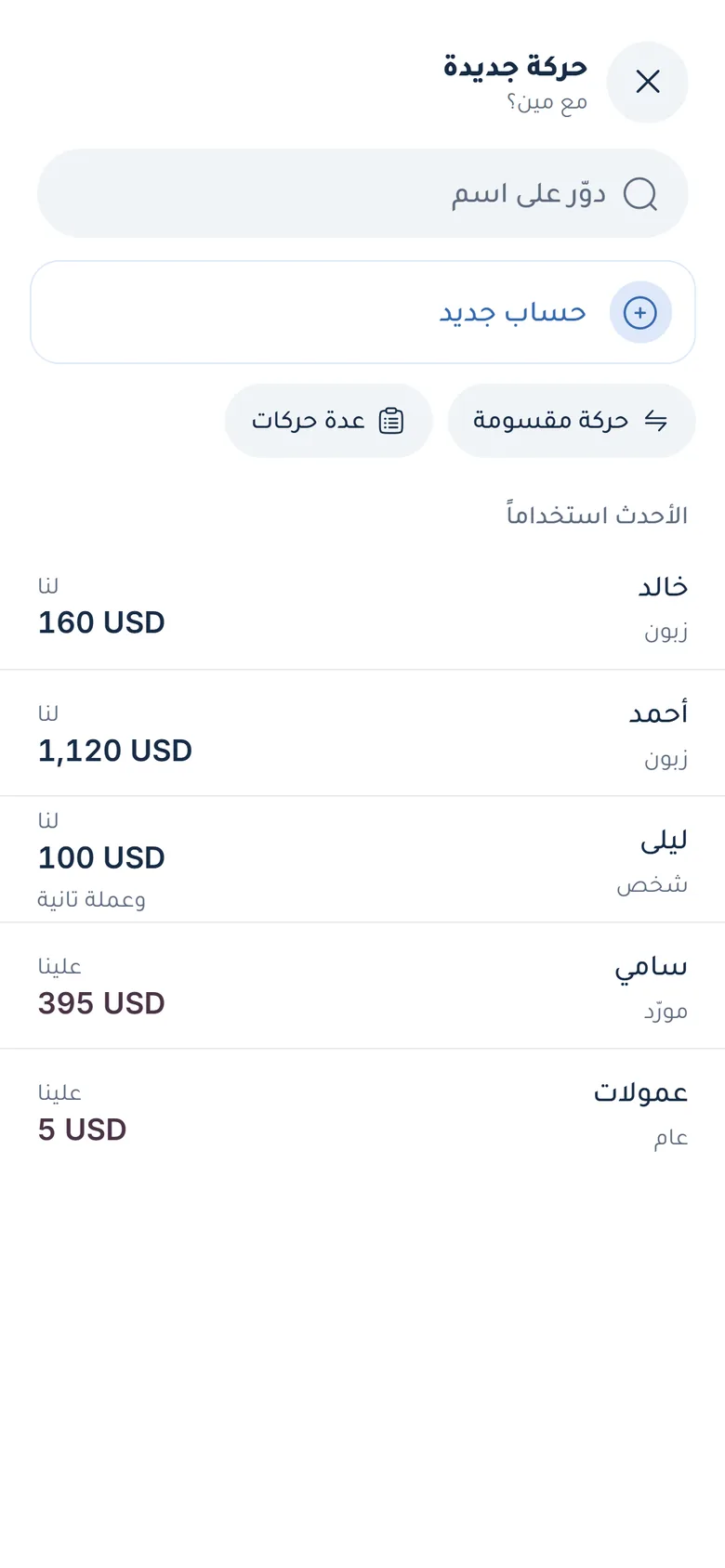
Record your first entry
Gave someone money or took some? Here is how to record it.
- Tap + at the bottom, or the Gave or Took button on Home.
- Pick the person, or add a new one.
- Choose “I gave” or “I took”, type the amount and pick the currency. There is a calculator inside the field.
- If you like: “Due” with a date, a note or a photo.
- Save, and you’ll see “Entry saved”.
Guide
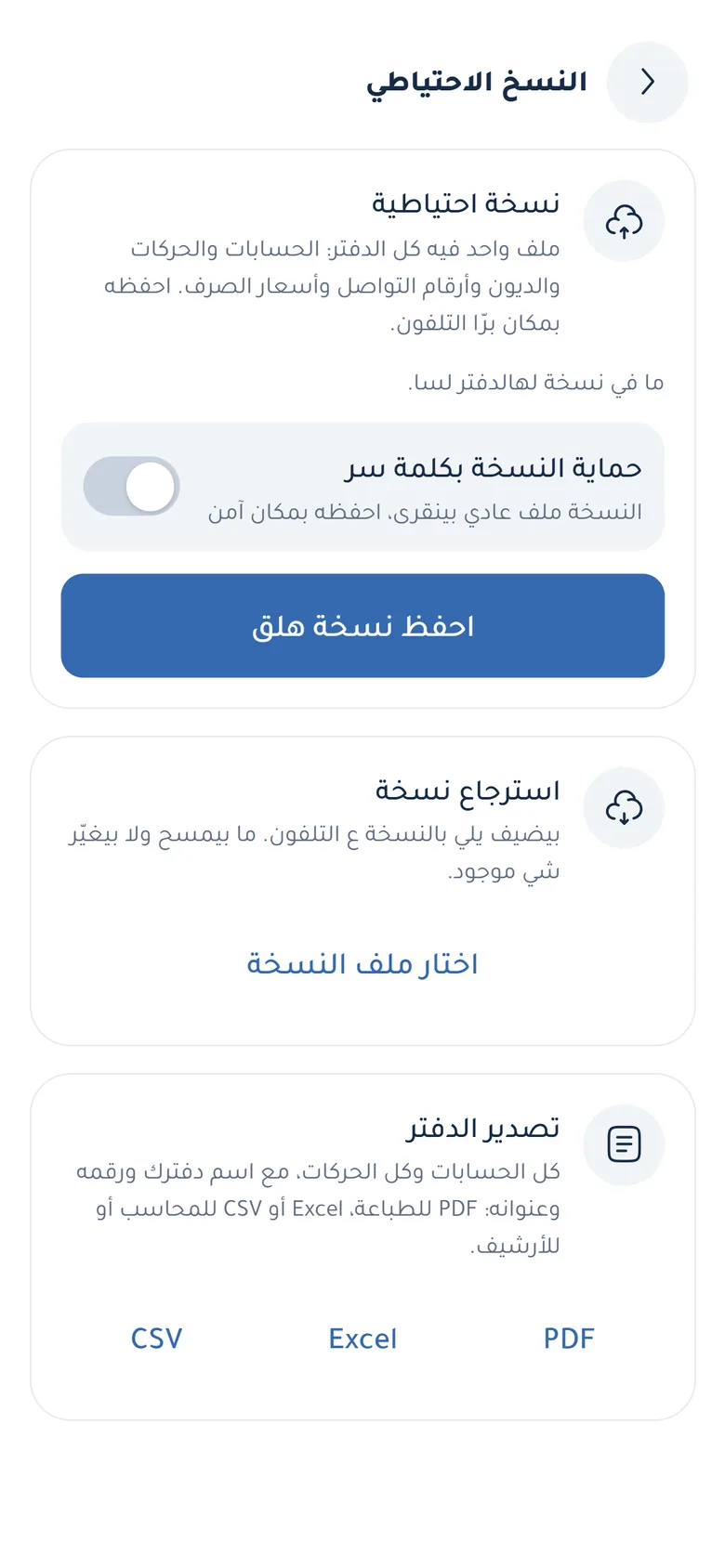
Back up and restore
Take a copy of your book and bring it back on any phone.
- Open “Your page” (the circle at the top) → “Backup”.
- If you like, turn on “Protect the backup with a password” (at least 8 characters; it can’t be recovered if forgotten).
- Tap “Back up now” and keep the file somewhere safe: Google Drive or your email.
- To bring it back: “Restore” → “Choose a backup file”. Restoring never deletes anything.
Guide
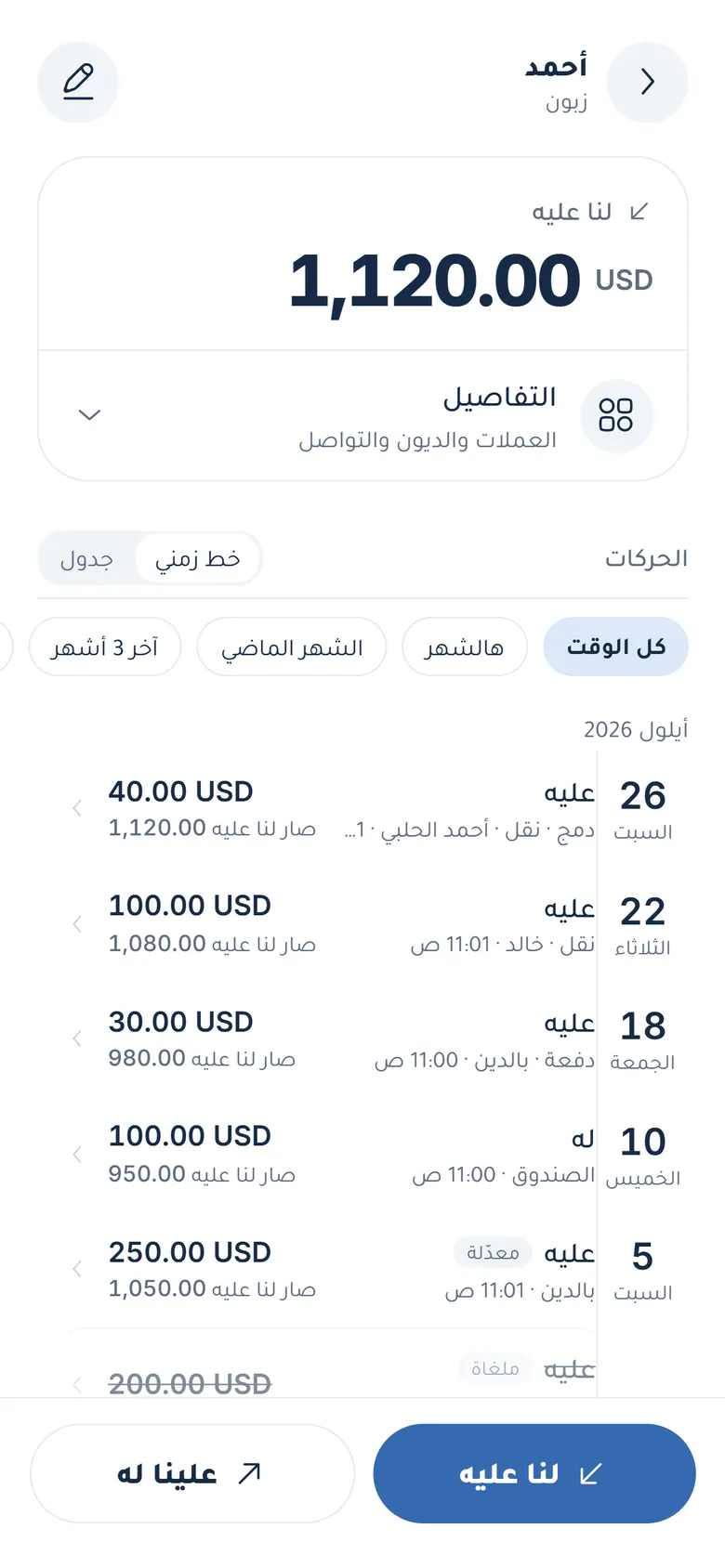
Send a statement
A statement for a customer or friend, as PDF or Excel.
- Open the account from “Accounts”.
- Pick the period: all time, this month, or the last 3 months.
- Export the statement as PDF, Excel or CSV and send it, or tap “Remind” to open a ready message in WhatsApp.
Guide
Subscribe to a plan
From the app or from the website.
- Sign in in the app (Google or mobile number).
- Open “Your page” → “Your plan” and pick one, or use the pricing page.
- Tap “Continue on WhatsApp” and we send you the payment options.
- After payment we activate the plan on your account, and it works right away.

Guide
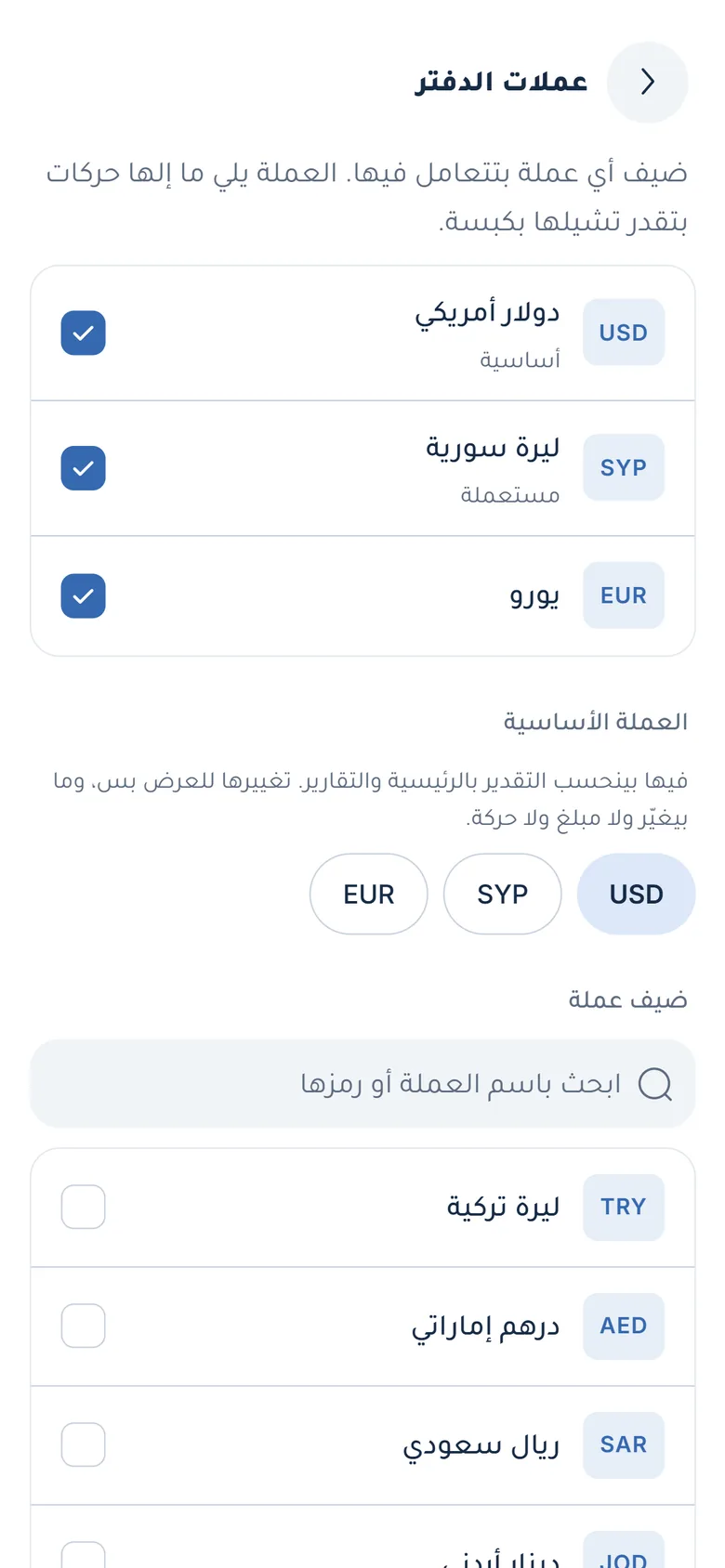
Currencies and the base currency
Add a currency, or change the one your totals are shown in.
- Open “Your page” → “Currencies” (Book currencies).
- Tick the currencies you use, or search for one and add it.
- Pick the “Base currency”: it is only for approximate totals and never changes a balance.
- Update the rate from “Your page” → “Exchange rates” whenever you like.
Guide
Link an account with a friend
So the number is the same for both of you, free, always.
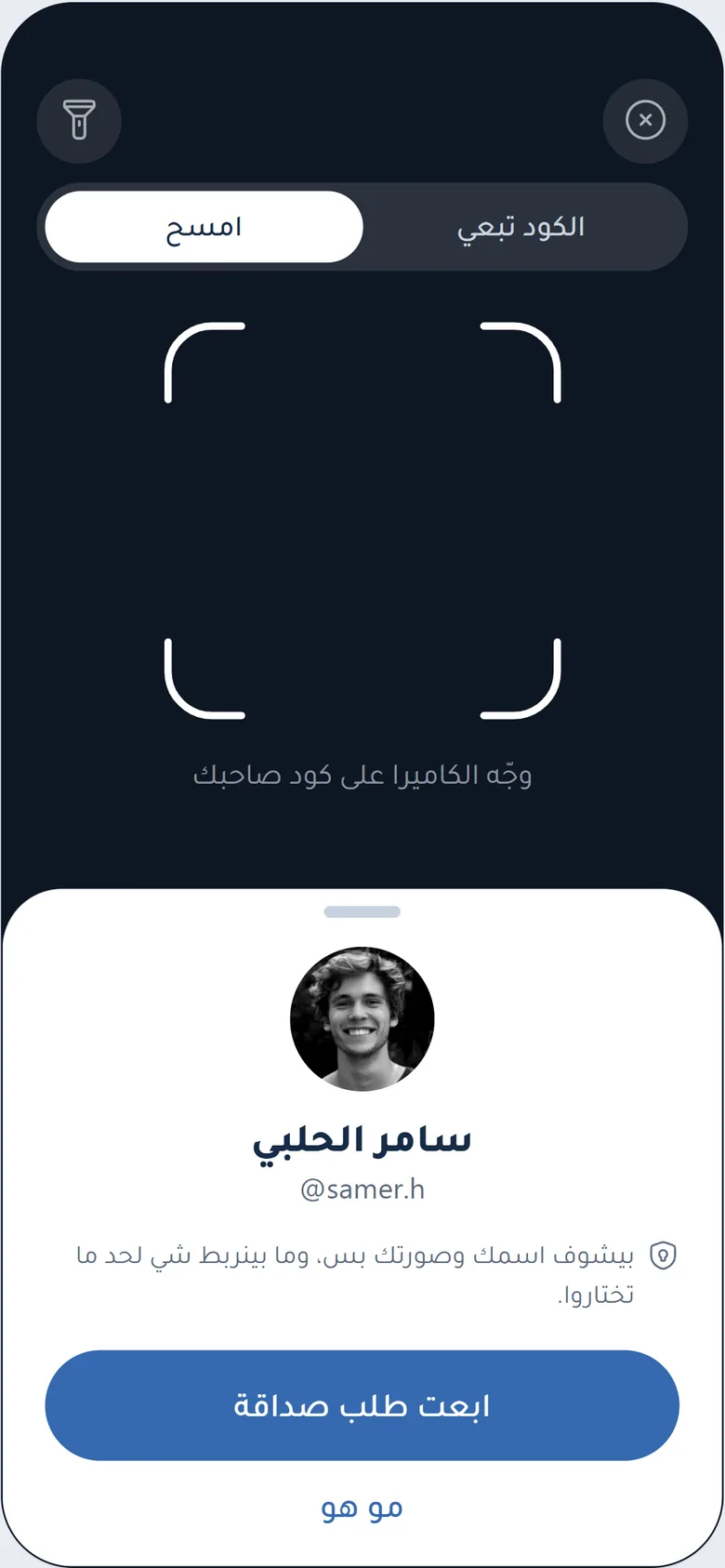
- Open “Friends” and tap “Add a friend”.
- Face to face: let them scan your code. Or send them a link, or pick them from your contacts.
- Once they accept, link the account between you.
- Every entry you record reaches them to accept or dispute.
Guide
Use the Mudir
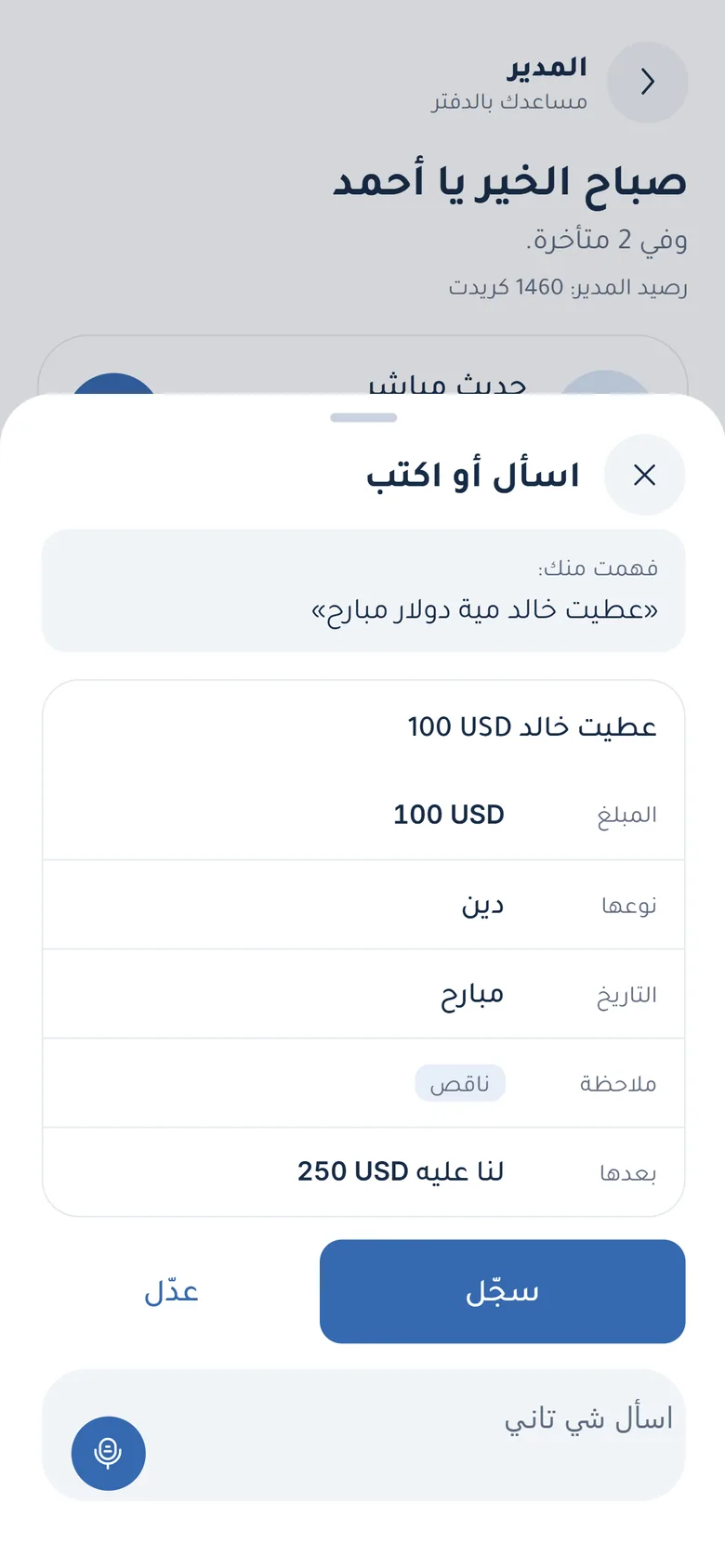
Talk or type to it, and it prepares things.
- Tap the Mudir button at the top of the screen.
- Type or say: “I gave Khaled a hundred dollars yesterday” or “Who owes us the most?”.
- Check the card it shows, and edit it if you like.
- Tap “Record”. Nothing is recorded without your approval.
Quick questions
How do I install the app from an APK file?
Step by step on the download page.
I changed phones; how do I get my book back?
Install the app on the new phone, then “Your page” → “Backup” → “Restore”.
I made a mistake in an entry; how do I fix it?
Open the account and tap the entry, then “Edit” or “Void”. The app keeps the original and the correction.
Can I change the language?
Yes, in Settings: Arabic or English, and digits 123 or ١٢٣.
How do I delete my account?
On the delete account page.