
People
“I paid you!” “No, you didn’t!” Not any more
Link your accounts. Every entry reaches the other side to accept or dispute, and the number becomes the same for both. Free for everyone, always.
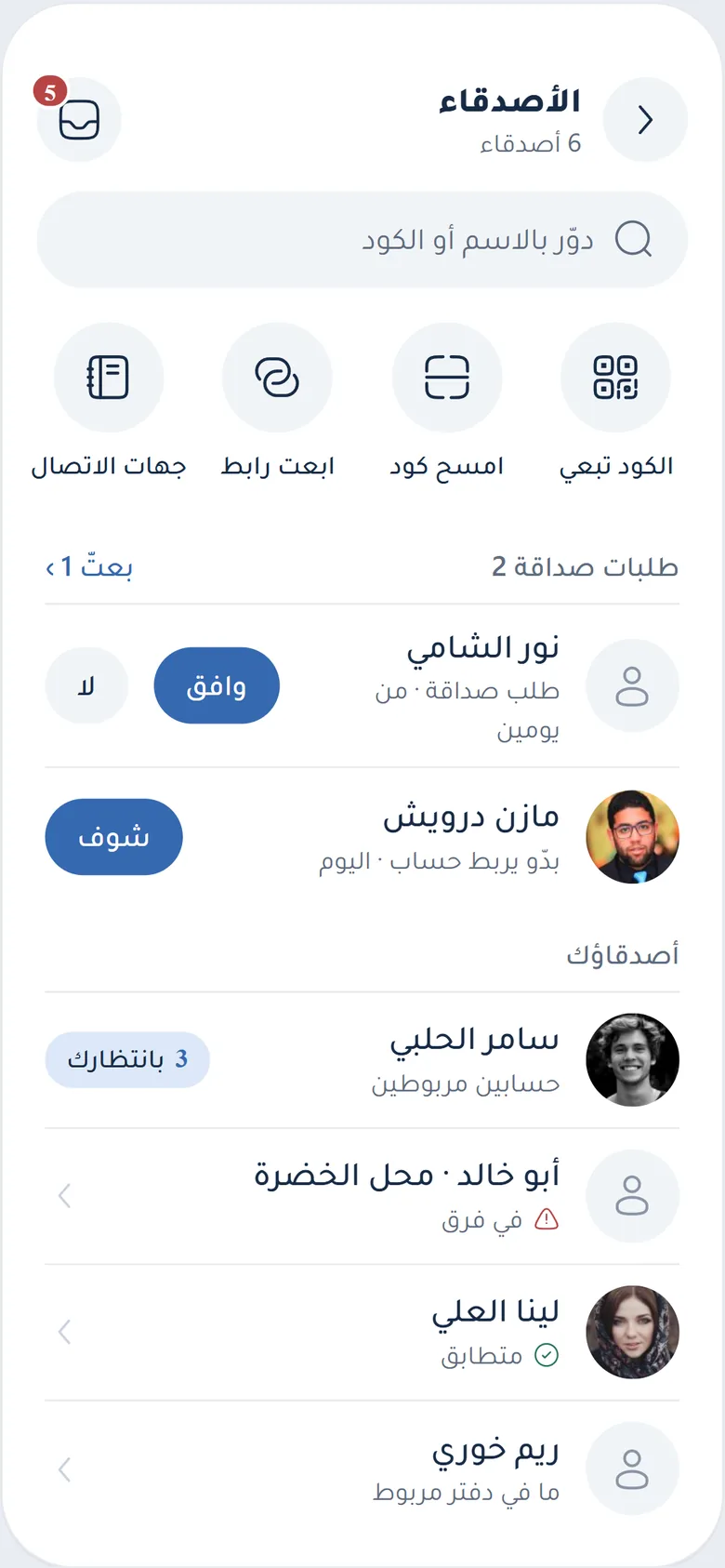
A friend in seconds
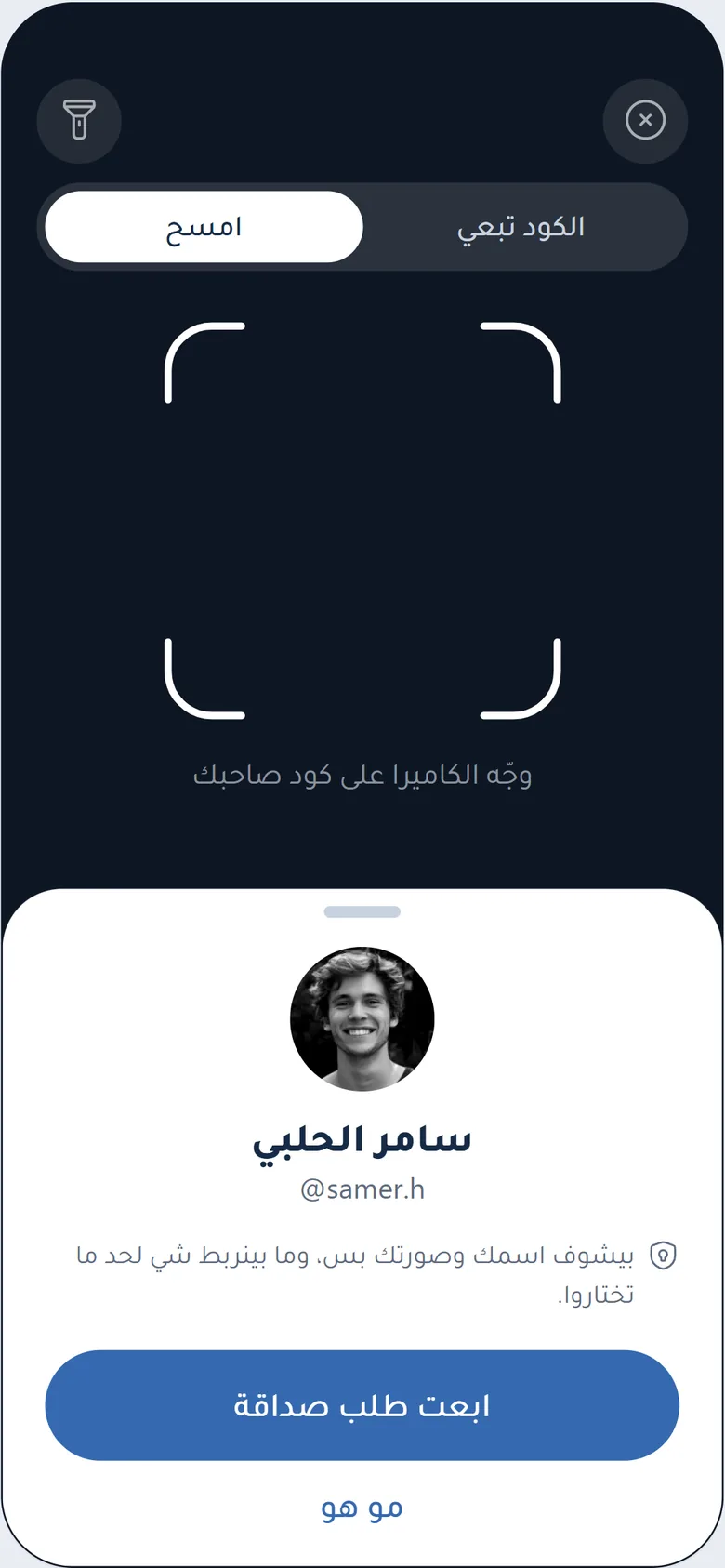
In “Accounts”, tap “Add a friend”: face to face by QR, by a link on WhatsApp, by searching a username, code or number, or from your contacts. They accept, and you are friends in the app.
- QR, link or username
- They see nothing else in your book
- You decide what to link
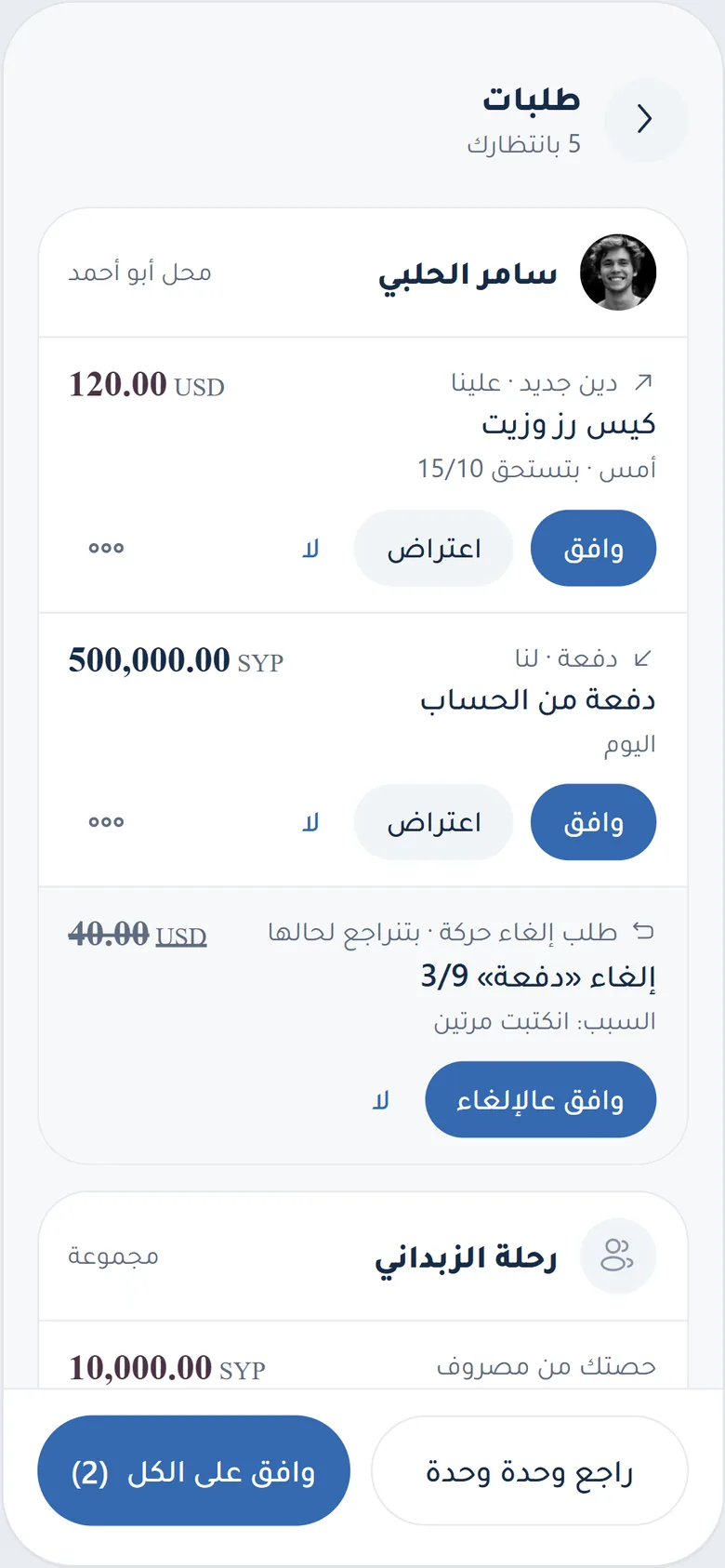
Every entry is a proposal
You record the entry on your side and it reaches them as “waiting for your approval”. They accept, or dispute and write what’s wrong, and you sort it out.
- Accept, decline or dispute
- Accept all in one tap
- A gentle reminder
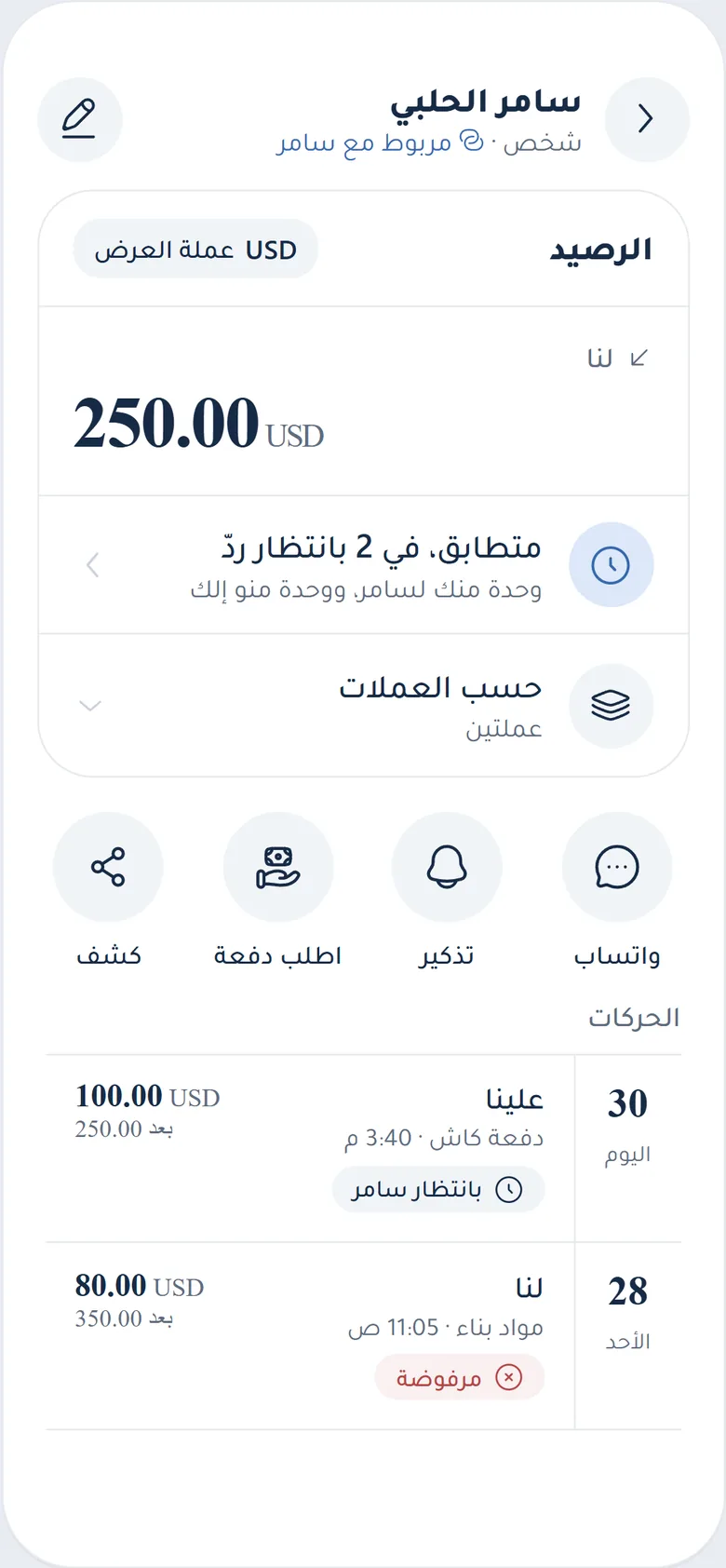
Matched ✓
You always know where you stand: matched, entries waiting, or a difference and exactly why.
- The difference shown entry by entry
- The same balance on both sides
- A log that can’t be edited
Free forever
Friends and linked books are free on every plan, including Free.
A shared book with your team
By invite, each person with a role: owner, admin, editor or read only (Mudir plan).
Instant
Entries and answers from your friends and groups show up instantly while the app is open.
Group expenses
A trip or a house: each expense is split equally, by amounts or by shares, and the app shows the fewest payments to settle.
Web statement
For people without the app, by link.
Activity log
Every change with its reason, never erased.
Common questions
Does my friend see my whole book?
No. Only the account you linked together, and its entries.
What if they don’t have the app?
Send them a web statement by link, or a PDF statement on WhatsApp.
What does it cost?
Nothing. Friends and linked books are always free, on every plan including Free. Only the cloud is on the online plans, and a shared book with your team on the Mudir plan.
How do I add a friend?
In “Accounts”, tap “Add a friend”: “Face to face” to show your code, use “Scan a code” on their screen, “Send a link”, search by username, code or number, or pick “From contacts”. It needs the internet and a signed-in account.
How do groups work?
“Your page” → “Friends” → “Groups” → “New group”. Each expense is split equally, by amounts or by shares, and everyone approves their own share in their own book. “Fewest payments to settle” shows who pays whom, per currency. Someone without the app is added as a guest and sees their share by link.

Your clear book,
on your phone
to get it

The first month is on us. Questions? Message us on WhatsApp.